KIA Gen 2.0 Europe Navigation & Firmware — SD Map Database | Models & Update Guide
WHAT INSIDE:
- Kia Gen2 (2).zip
DESCRIPTION:
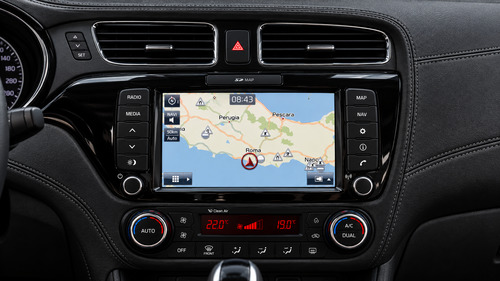
Complete navigation map database and software update for KIA Gen 2.0 multimedia systems. This package provides high-quality map data, updated routing, and comprehensive points of interest (POIs).
SUPPORTED CARS (GEN 2.0):
- Ceed (JD MY15-16): 2015 — 2016
- New Sorento (UM): 2014 — 2016
- New Sportage (QL): 2015 — 2016
- Optima (JF): 2015 — 2016
- Picanto (TA): 2015 — 2017
- Rio (UB): 2014 — 2017
- Venga (YN): 2014 — 2019
INSTRUCTIONS FOR UP****** (SD Card):
1. Prepare a 32GB SD card formatted to FAT32 (make a backup of your original SD card first).
2. Unpack the Software (firmware) archive to the root of the empty SD card.
3. Start the engine, insert the SD card into the head unit slot, and click "Update" when prompted (takes approx. 10–15 minutes). Do not turn off the engine.
4. After the system reboots, remove the SD card, delete the software files from it, and unpack the Map archive directly to the root of the SD card.
5. Insert the SD card back into the car — the navigation is ready to use.
Note: On transitional production years, please verify your exact Head Unit generation in Settings -> System Info / SW Version before up******.
 Need it? Push button Thanks, PM for pass | or by email right now.